Builder
Read in~11 min
Written by - RefactoringGuru
Intent
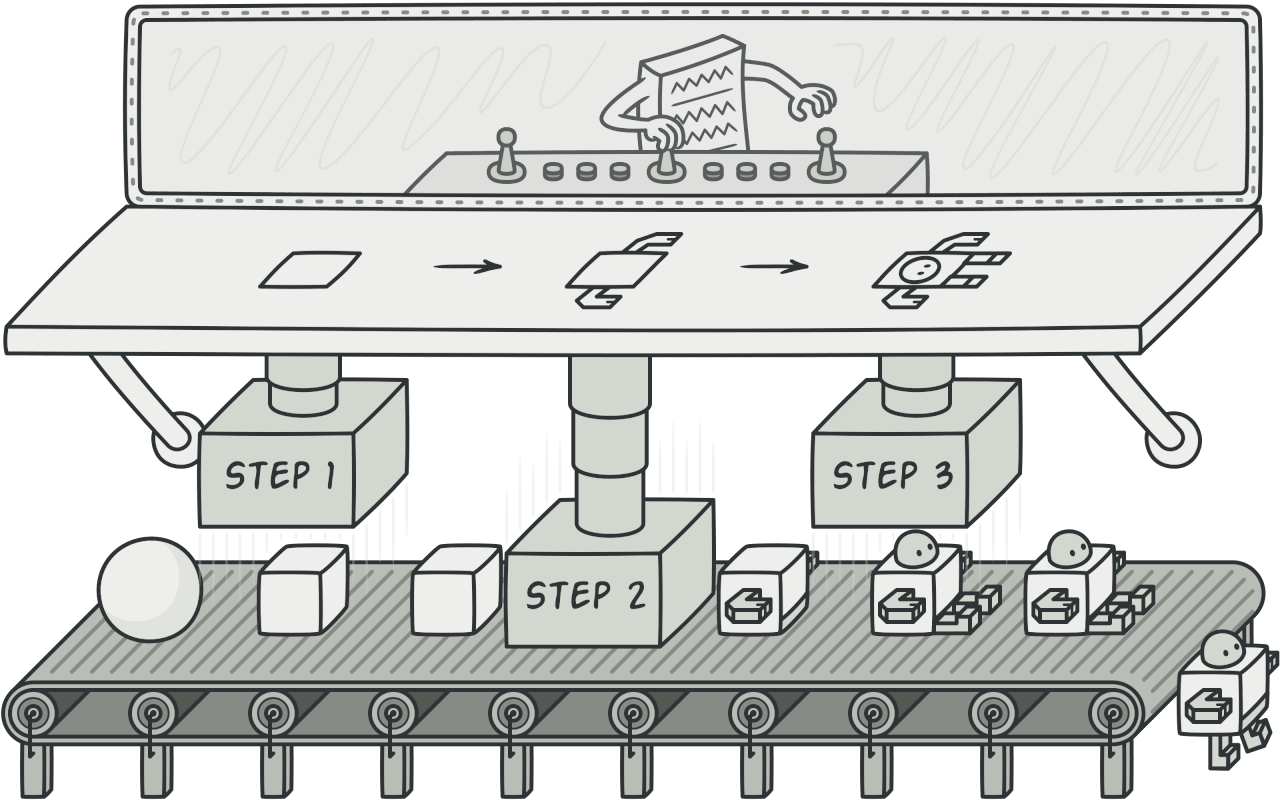
Builder is a creational design pattern that lets you construct complex objects step by step. The pattern allows you to produce different types and representations of an object using the same construction code.
Problem
Imagine a complex object that requires laborious, step-by-step initialization of many fields and nested objects. Such initialization code is usually buried inside a monstrous constructor with lots of parameters. Or even worse: scattered all over the client code.
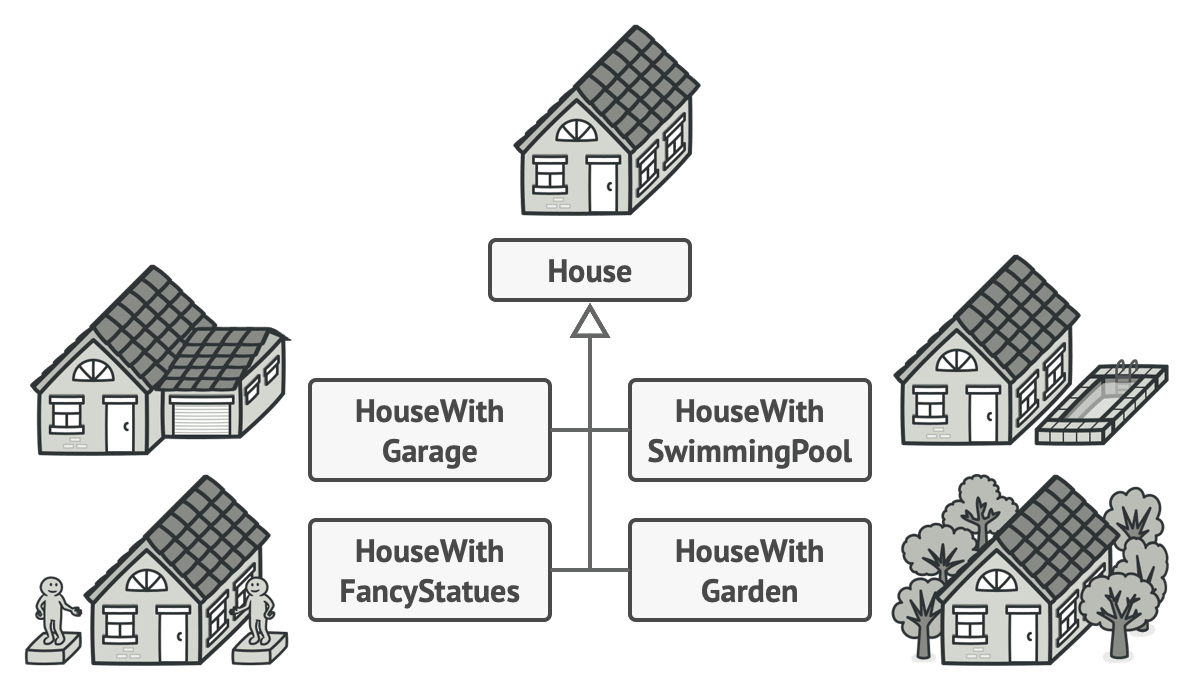
For example, let’s think about how to create a House object. To build a simple house, you need to construct four walls and a floor, install a door, fit a pair of windows, and build a roof. But what if you want a bigger, brighter house, with a backyard and other goodies (like a heating system, plumbing, and electrical wiring)?
The simplest solution is to extend the base House class and create a set of subclasses to cover all combinations of the parameters. But eventually you’ll end up with a considerable number of subclasses. Any new parameter, such as the porch style, will require growing this hierarchy even more.
There’s another approach that doesn’t involve breeding subclasses. You can create a giant constructor right in the base House class with all possible parameters that control the house object. While this approach indeed eliminates the need for subclasses, it creates another problem.
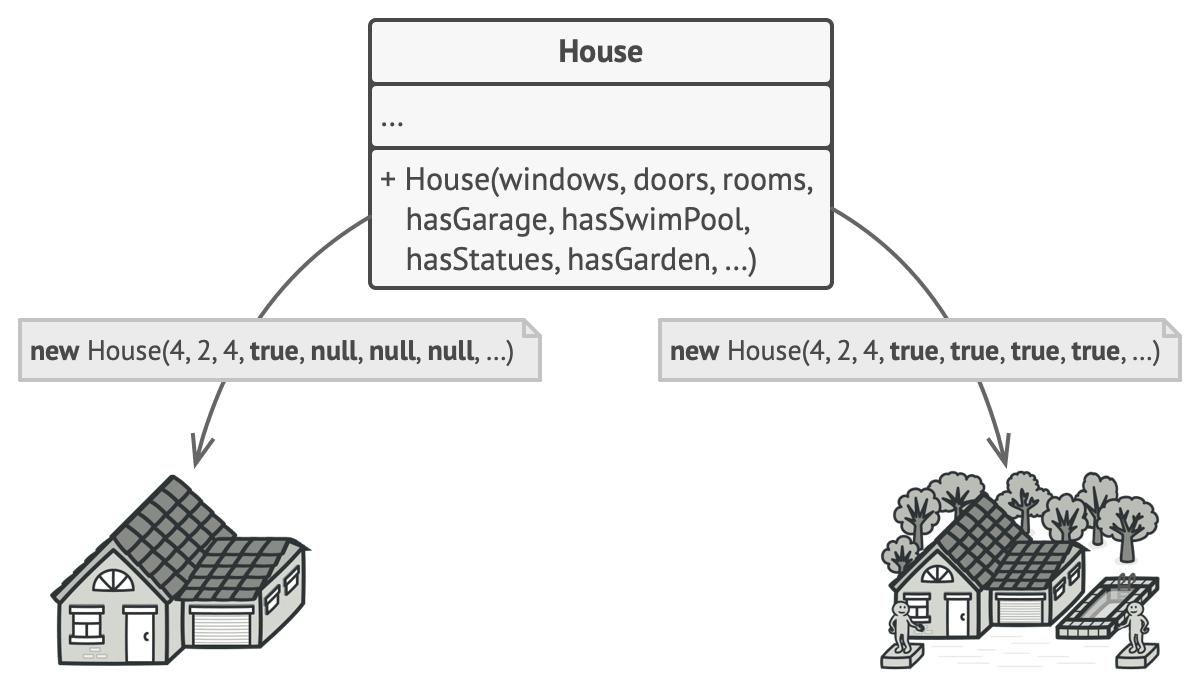
In most cases most of the parameters will be unused, making the constructor calls pretty ugly. For instance, only a fraction of houses have swimming pools, so the parameters related to swimming pools will be useless nine times out of ten.
Solution
The Builder pattern suggests that you extract the object construction code out of its own class and move it to separate objects called builders.
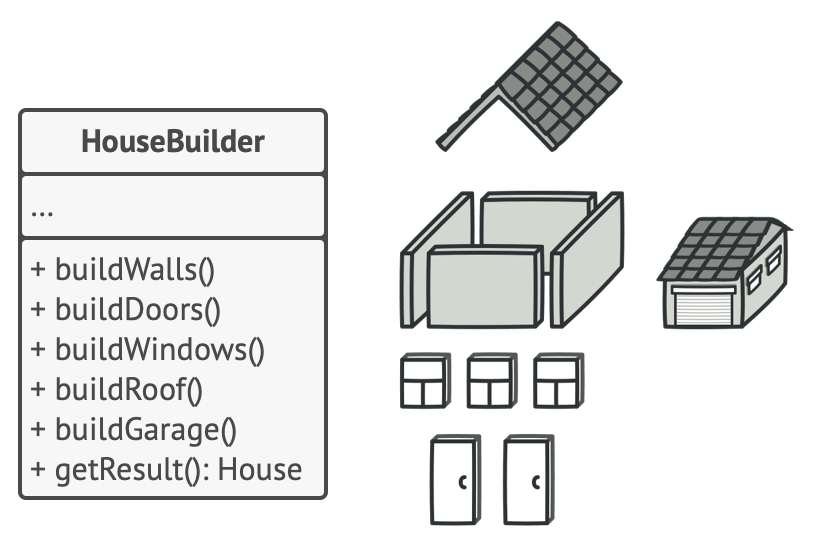
The pattern organizes object construction into a set of steps (buildWalls, buildDoor, etc.). To create an object, you execute a series of these steps on a builder object. The important part is that you don’t need to call all of the steps. You can call only those steps that are necessary for producing a particular configuration of an object.
Some of the construction steps might require different implementation when you need to build various representations of the product. For example, walls of a cabin may be built of wood, but the castle walls must be built with stone.
In this case, you can create several different builder classes that implement the same set of building steps, but in a different manner. Then you can use these builders in the construction process (i.e., an ordered set of calls to the building steps) to produce different kinds of objects.
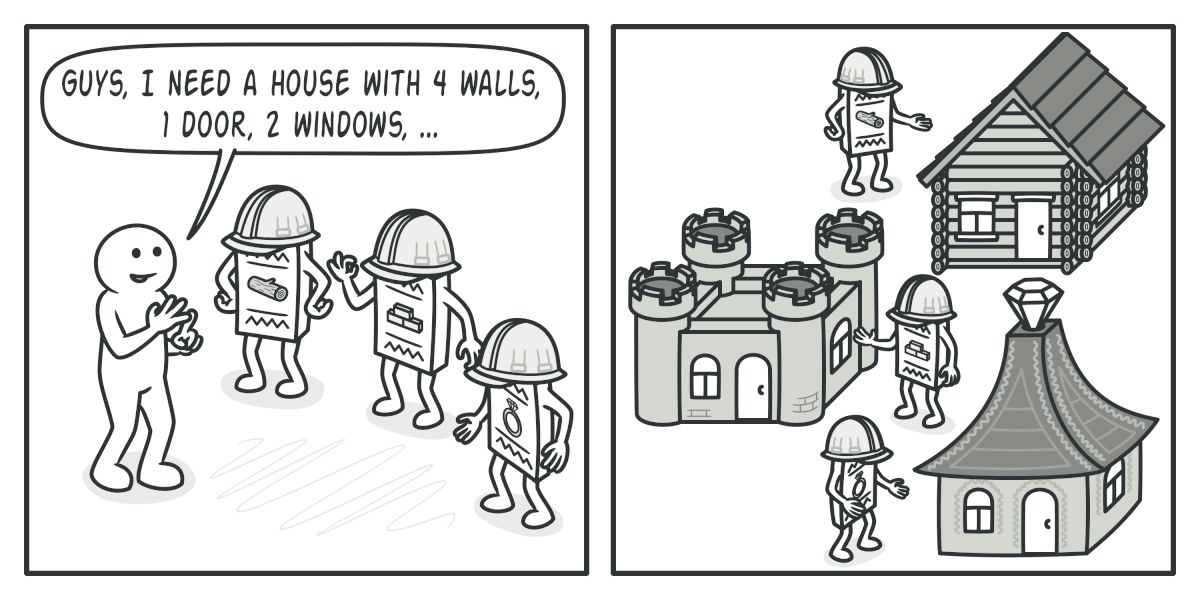
For example, imagine a builder that builds everything from wood and glass, a second one that builds everything with stone and iron and a third one that uses gold and diamonds. By calling the same set of steps, you get a regular house from the first builder, a small castle from the second and a palace from the third. However, this would only work if the client code that calls the building steps is able to interact with builders using a common interface.
Director
You can go further and extract a series of calls to the builder steps you use to construct a product into a separate class called director. The director class defines the order in which to execute the building steps, while the builder provides the implementation for those steps.
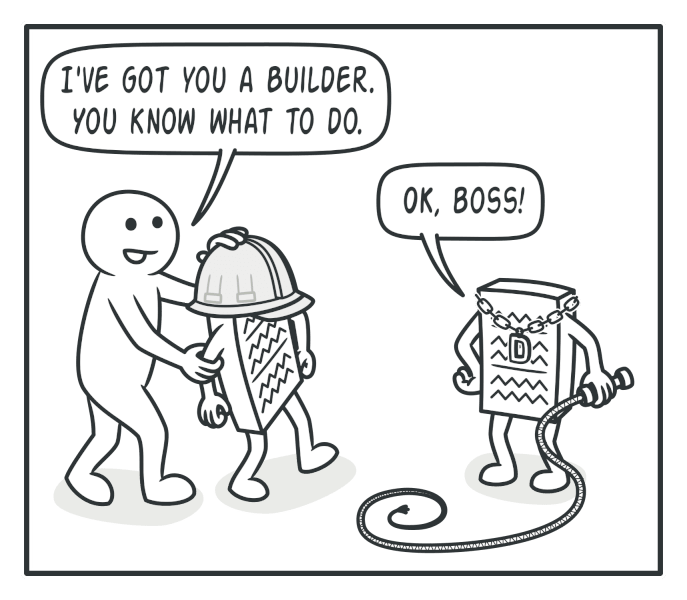
Having a director class in your program isn’t strictly necessary. You can always call the building steps in a specific order directly from the client code. However, the director class might be a good place to put various construction routines so you can reuse them across your program.
In addition, the director class completely hides the details of product construction from the client code. The client only needs to associate a builder with a director, launch the construction with the director, and get the result from the builder.
Structure
-
The
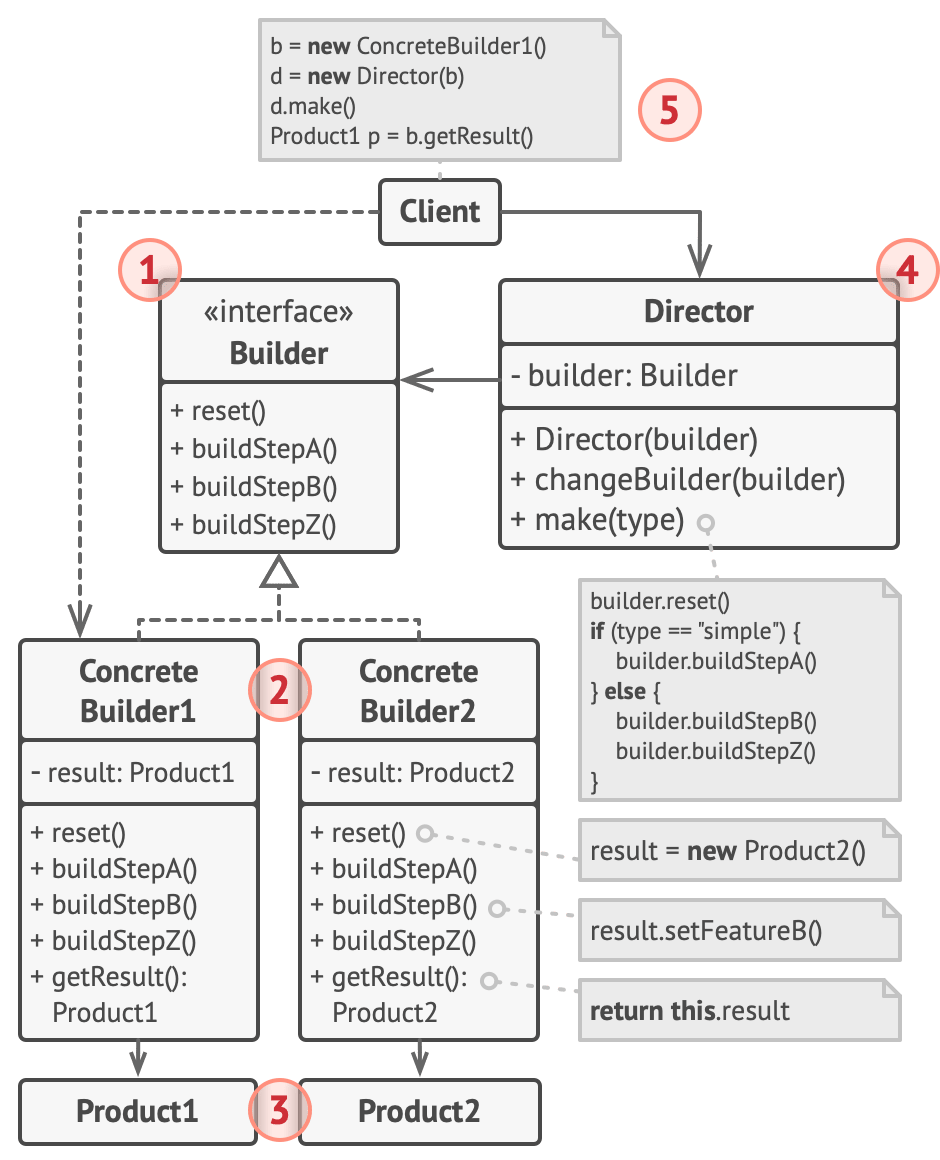
Builderinterface declares product construction steps that are common to all types of builders. -
Concrete Buildersprovide different implementations of the construction steps. Concrete builders may produce products that don’t follow the common interface. -
Productsare resulting objects. Products constructed by different builders don’t have to belong to the same class hierarchy or interface. -
The
Directorclass defines the order in which to call construction steps, so you can create and reuse specific configurations of products. -
The
Clientmust associate one of the builder objects with the director. Usually, it’s done just once, via parameters of the director’s constructor. Then the director uses that builder object for all further construction. However, there’s an alternative approach for when the client passes the builder object to the production method of the director. In this case, you can use a different builder each time you produce something with the director.
Applicability
- Use the Builder pattern to get rid of a “telescoping constructor”.
Say you have a constructor with ten optional parameters. Calling such a beast is very inconvenient; therefore, you overload the constructor and create several shorter versions with fewer parameters. These constructors still refer to the main one, passing some default values into any omitted parameters.
The Builder pattern lets you build objects step by step, using only those steps that you really need. After implementing the pattern, you don’t have to cram dozens of parameters into your constructors anymore.
- Use the Builder pattern when you want your code to be able to create different representations of some product (for example, stone and wooden houses).
The Builder pattern can be applied when construction of various representations of the product involves similar steps that differ only in the details.
The base builder interface defines all possible construction steps, and concrete builders implement these steps to construct particular representations of the product. Meanwhile, the director class guides the order of construction.
- Use the Builder to construct Composite trees or other complex objects.
The Builder pattern lets you construct products step-by-step. You could defer execution of some steps without breaking the final product. You can even call steps recursively, which comes in handy when you need to build an object tree.
A builder doesn’t expose the unfinished product while running construction steps. This prevents the client code from fetching an incomplete result.
How to Implement
-
Make sure that you can clearly define the common construction steps for building all available product representations. Otherwise, you won’t be able to proceed with implementing the pattern.
-
Declare these steps in the base builder interface.
-
Create a concrete builder class for each of the product representations and implement their construction steps.
Don’t forget about implementing a method for fetching the result of the construction. The reason why this method can’t be declared inside the builder interface is that various builders may construct products that don’t have a common interface. Therefore, you don’t know what would be the return type for such a method. However, if you’re dealing with products from a single hierarchy, the fetching method can be safely added to the base interface.
-
Think about creating a director class. It may encapsulate various ways to construct a product using the same builder object.
-
The client code creates both the builder and the director objects. Before construction starts, the client must pass a builder object to the director. Usually, the client does this only once, via parameters of the director’s class constructor. The director uses the builder object in all further construction. There’s an alternative approach, where the builder is passed to a specific product construction method of the director.
-
The construction result can be obtained directly from the director only if all products follow the same interface. Otherwise, the client should fetch the result from the builder.
Pros and Cons
| Nice | Bad |
|---|---|
| You can construct objects step-by-step, defer construction steps or run steps recursively. | The overall complexity of the code increases since the pattern requires creating multiple new classes. |
| You can reuse the same construction code when building various representations of products. | |
| Single Responsibility Principle. You can isolate complex construction code from the business logic of the product. |
Relations with Other Patterns
-
Many designs start by using Factory Method (less complicated and more customizable via subclasses) and evolve toward Abstract Factory, Prototype, or Builder (more flexible, but more complicated).
-
Builder focuses on constructing complex objects step by step. Abstract Factory specializes in creating families of related objects. Abstract Factory returns the product immediately, whereas Builder lets you run some additional construction steps before fetching the product.
-
You can use Builder when creating complex Composite trees because you can program its construction steps to work recursively.
-
You can combine Builder with Bridge: the director class plays the role of the abstraction, while different builders act as implementations.
-
Abstract Factories, Builders and Prototypes can all be implemented as Singletons.
Conceptual Example
#include <iostream>
#include <string>

/**
 * It makes sense to use the Builder pattern only when your products are quite
 * complex and require extensive configuration.
 *
 * Unlike in other creational patterns, different concrete builders can produce
 * unrelated products. In other words, results of various builders may not
 * always follow the same interface.
 */

class Product1 {
public:
  std::vector<std::string> parts_;
  void ListParts() const {
    std::cout << "Product parts: ";
    for (size_t i = 0; i < parts_.size(); i++) {
      if (parts_[i] == parts_.back()) {
        std::cout << parts_[i];
      } else {
        std::cout << parts_[i] << ", ";
      }
    }
    std::cout << "\n\n";
  }
};

/**
 * The Builder interface specifies methods for creating the different parts of
 * the Product objects.
 */
class Builder {
public:
  virtual ~Builder() {}
  virtual void ProducePartA() const = 0;
  virtual void ProducePartB() const = 0;
  virtual void ProducePartC() const = 0;
};
/**
 * The Concrete Builder classes follow the Builder interface and provide
 * specific implementations of the building steps. Your program may have several
 * variations of Builders, implemented differently.
 */
class ConcreteBuilder1 : public Builder {
private:
  Product1 *product;

  /**
   * A fresh builder instance should contain a blank product object, which is
   * used in further assembly.
   */
public:
  ConcreteBuilder1() { this->Reset(); }

  ~ConcreteBuilder1() { delete product; }

  void Reset() { this->product = new Product1(); }
  /**
   * All production steps work with the same product instance.
   */

  void ProducePartA() const override {
    this->product->parts_.push_back("PartA1");
  }

  void ProducePartB() const override {
    this->product->parts_.push_back("PartB1");
  }

  void ProducePartC() const override {
    this->product->parts_.push_back("PartC1");
  }

  /**
   * Concrete Builders are supposed to provide their own methods for
   * retrieving results. That's because various types of builders may create
   * entirely different products that don't follow the same interface.
   * Therefore, such methods cannot be declared in the base Builder interface
   * (at least in a statically typed programming language). Note that PHP is a
   * dynamically typed language and this method CAN be in the base interface.
   * However, we won't declare it there for the sake of clarity.
   *
   * Usually, after returning the end result to the client, a builder instance
   * is expected to be ready to start producing another product. That's why
   * it's a usual practice to call the reset method at the end of the
   * `getProduct` method body. However, this behavior is not mandatory, and
   * you can make your builders wait for an explicit reset call from the
   * client code before disposing of the previous result.
   */

  /**
   * Please be careful here with the memory ownership. Once you call
   * GetProduct the user of this function is responsable to release this
   * memory. Here could be a better option to use smart pointers to avoid
   * memory leaks
   */

  Product1 *GetProduct() {
    Product1 *result = this->product;
    this->Reset();
    return result;
  }
};

/**
 * The Director is only responsible for executing the building steps in a
 * particular sequence. It is helpful when producing products according to a
 * specific order or configuration. Strictly speaking, the Director class is
 * optional, since the client can control builders directly.
 */
class Director {
  /**
   * @var Builder
   */
private:
  Builder *builder;
  /**
   * The Director works with any builder instance that the client code passes
   * to it. This way, the client code may alter the final type of the newly
   * assembled product.
   */

public:
  void set_builder(Builder *builder) { this->builder = builder; }

  /**
   * The Director can construct several product variations using the same
   * building steps.
   */

  void BuildMinimalViableProduct() { this->builder->ProducePartA(); }

  void BuildFullFeaturedProduct() {
    this->builder->ProducePartA();
    this->builder->ProducePartB();
    this->builder->ProducePartC();
  }
};
/**
 * The client code creates a builder object, passes it to the director and then
 * initiates the construction process. The end result is retrieved from the
 * builder object.
 */
/**
 * I used raw pointers for simplicity however you may prefer to use smart
 * pointers here
 */
void ClientCode(Director &director) {
  ConcreteBuilder1 *builder = new ConcreteBuilder1();
  director.set_builder(builder);
  std::cout << "Standard basic product:\n";
  director.BuildMinimalViableProduct();

  Product1 *p = builder->GetProduct();
  p->ListParts();
  delete p;

  std::cout << "Standard full featured product:\n";
  director.BuildFullFeaturedProduct();

  p = builder->GetProduct();
  p->ListParts();
  delete p;

  // Remember, the Builder pattern can be used without a Director class.
  std::cout << "Custom product:\n";
  builder->ProducePartA();
  builder->ProducePartC();
  p = builder->GetProduct();
  p->ListParts();
  delete p;

  delete builder;
}

int main() {
  Director *director = new Director();
  ClientCode(*director);
  delete director;
  return 0;
}